
A New Chapter Unveiled: Seamless Tahometer Subscription Renewal with ChargeBee
Hey Tahometer aficionados! We’re stoked to introduce a game-changer in your payments tracking saga—an effortless invoice and payment tracking powered by ChargeBee. But before we dive into the excitement, here’s a heads-up: Mark your calendar! All users, update your account info post-December 18 for a hiccup-free subscription renewal. This change is crucial as we align with the latest EU regulations and transition to the new payment processing maestro — Chargebee, Inc.
Why the Change?
In our pursuit of excellence, we’re transitioning to Chargebee, Inc., a move designed not only to meet legal obligations but also to amp up security and efficiency in subscription management. This change ensures a smoother experience for all Tahometer users.
Now, with your beverage of choice in hand, let’s embark on a journey through seven steps adorned with screenshots, making your Tahometer subscription renewal a breeze.
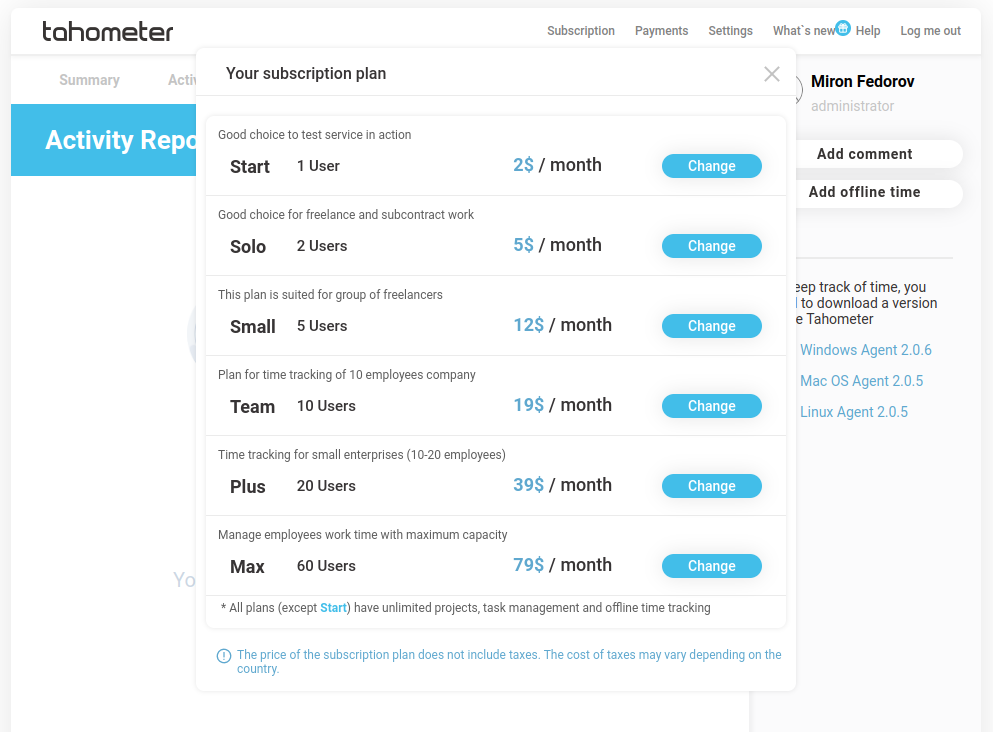
Step 1: Check Out our New Banner or Choose Your Plan, if You Don’t Have a Current Subscription
Here you have two different options – you can choose a new plan, or automatically check in with the old one if you use the banner from the Summary page. The banner will appear on December 18. If you need something new, head to the Subscription section, explore the options and click on the plan that aligns with your Tahometer desires.
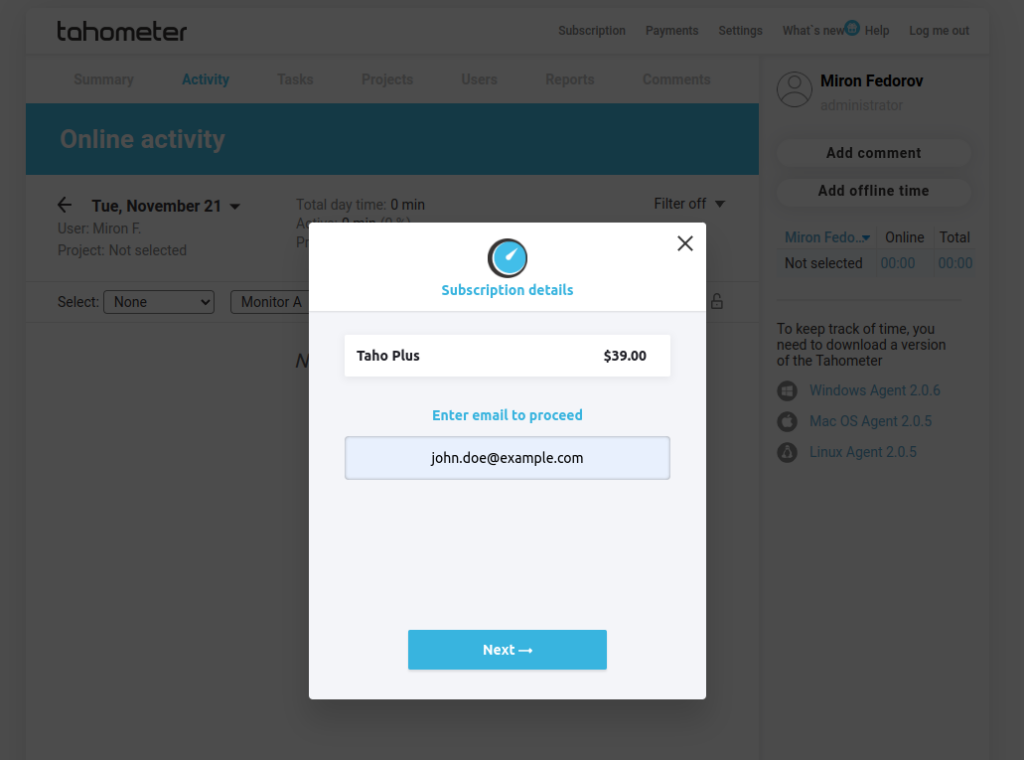
Step 2: Entering a Payment Email
Toss in your payment email for a seamless transaction process. This step ensures you get timely updates and confirmations about your subscription renewal.
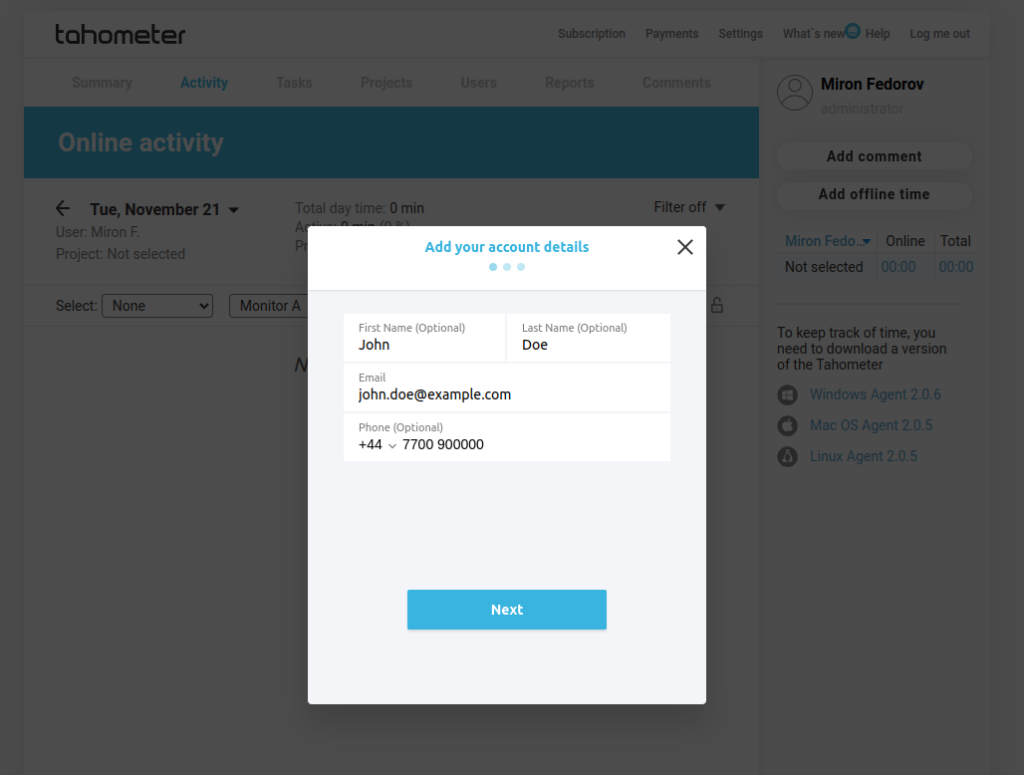
Step 3: Verification of Account Data
Verify your account details—name and phone number—for an extra layer of security.
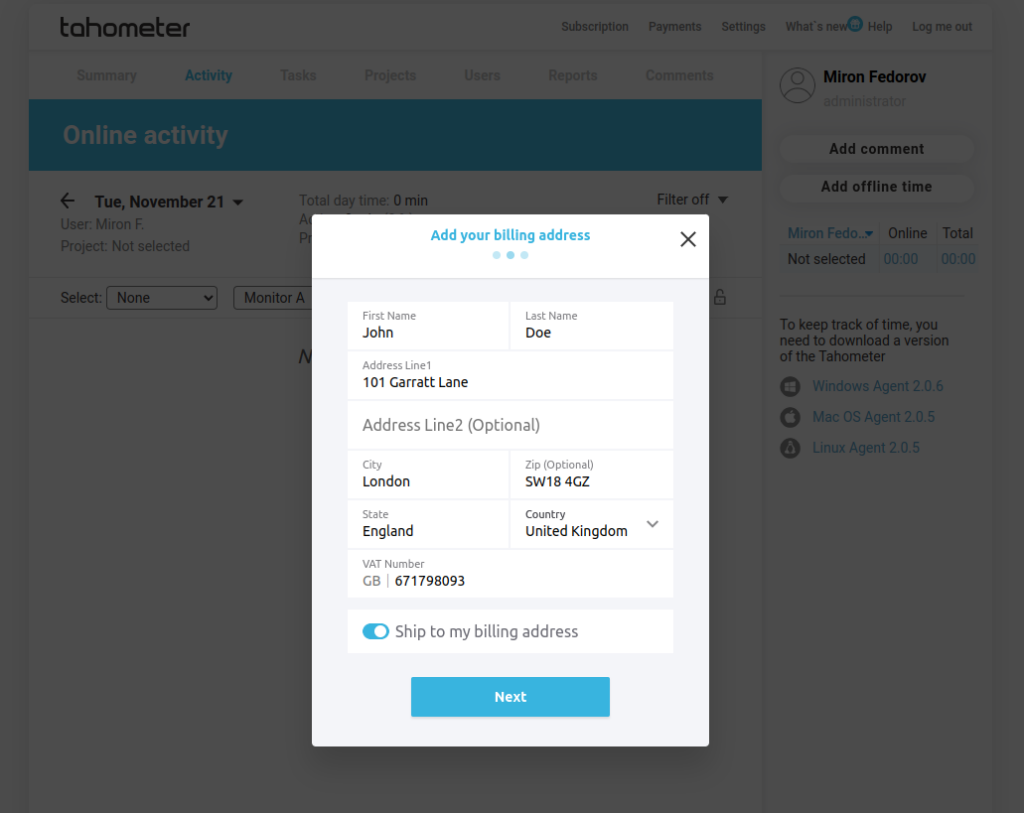
Step 4: Entering a Billing Address
Add your billing address for snappy correspondence. This ensures all renewal-related documents and communications reach you pronto.
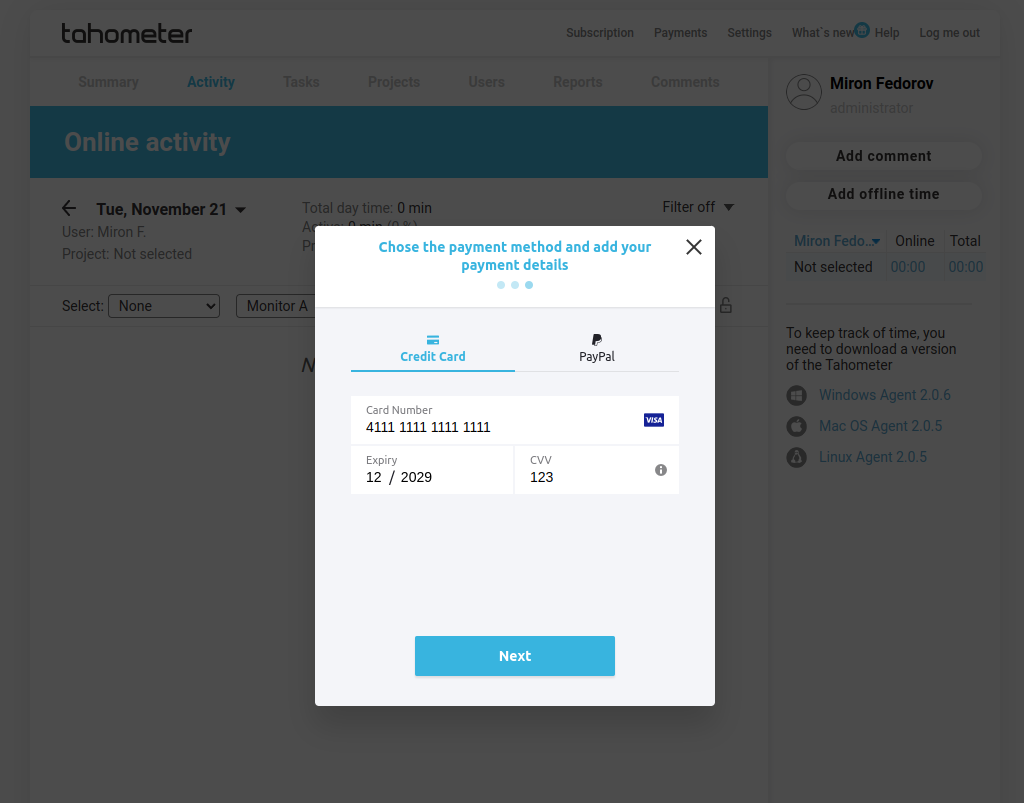
Step 5: Entering Card Information
Securely punch in your card details for a secure transaction. We’ve got your back when it comes to safeguarding your payment info.
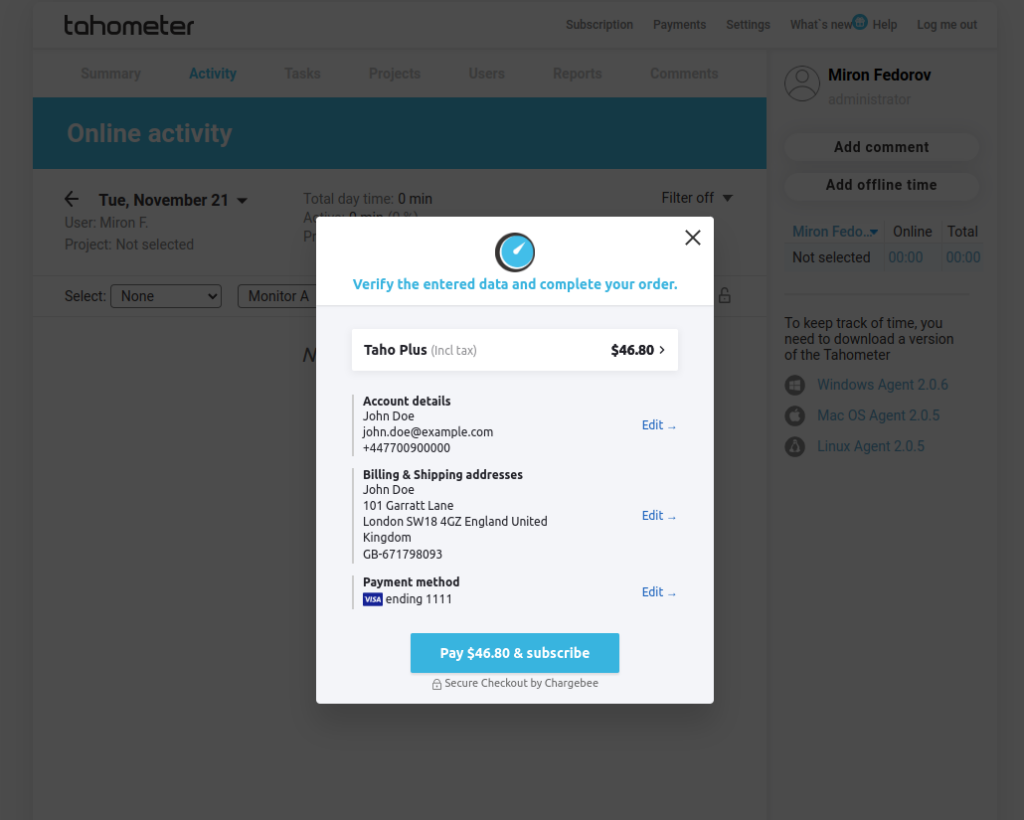
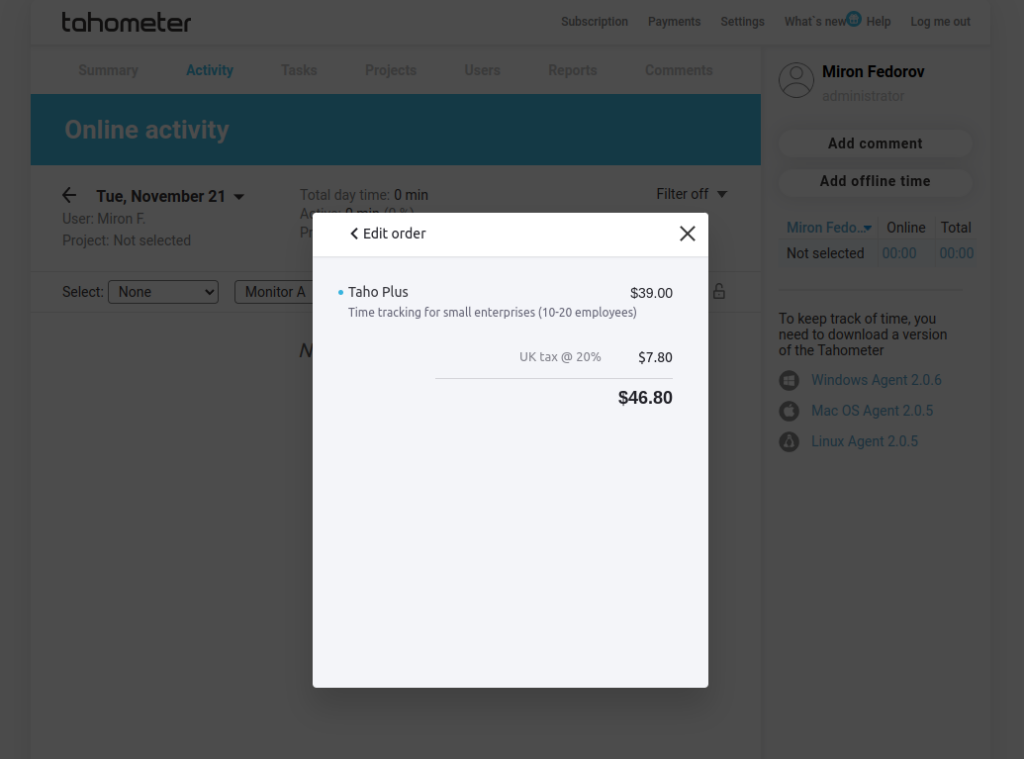
Step 6: Checking Order Data and Final Amount
Double-check your order data and the final amount, taxes included. Transparency is key, and we want you to feel like a champ confirming your subscription renewal.
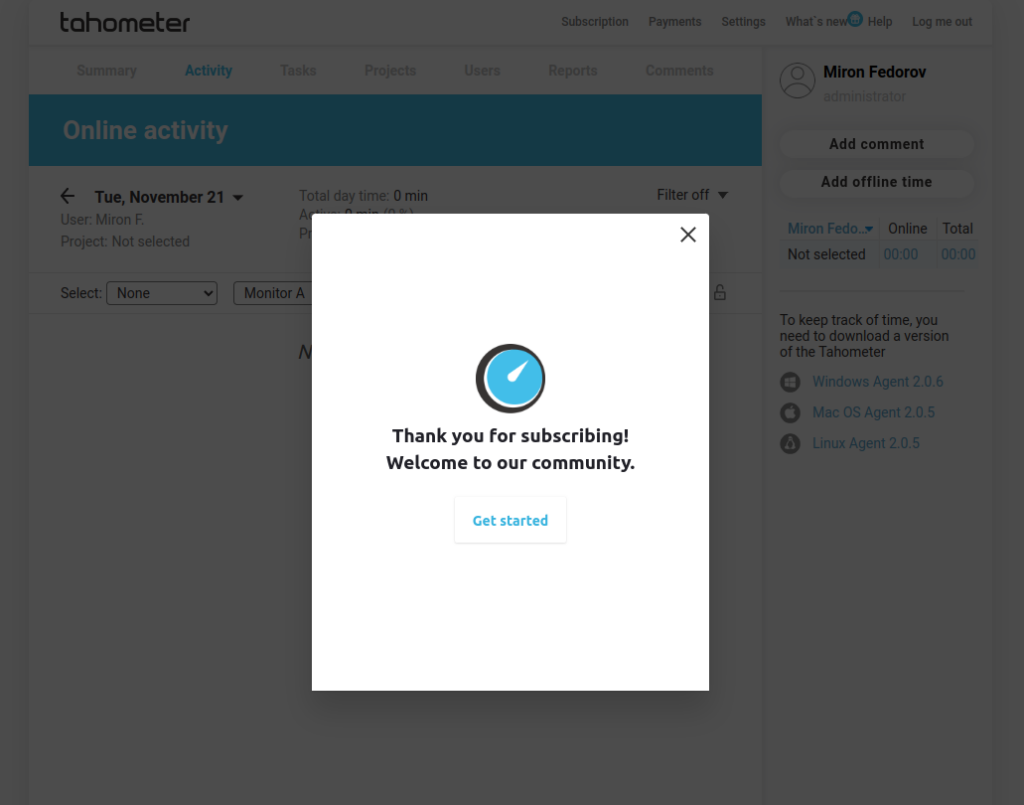
Step 7: Confirmation of Payment
Boom! You’ve hit the final stretch. Confirm your payment, and voila, your Tahometer subscription is reborn. Dive into uninterrupted access to those fantastic time-tracking features.
Conclusion:
With ChargeBee, subscription and payment tracking becomes a breeze, letting you focus on what matters — your work. We’re committed to ensuring Tahometer is your time-tracking sanctuary. Share your thoughts; we’re all ears!