
In-App Alerts to Make Your Life That Much Easier
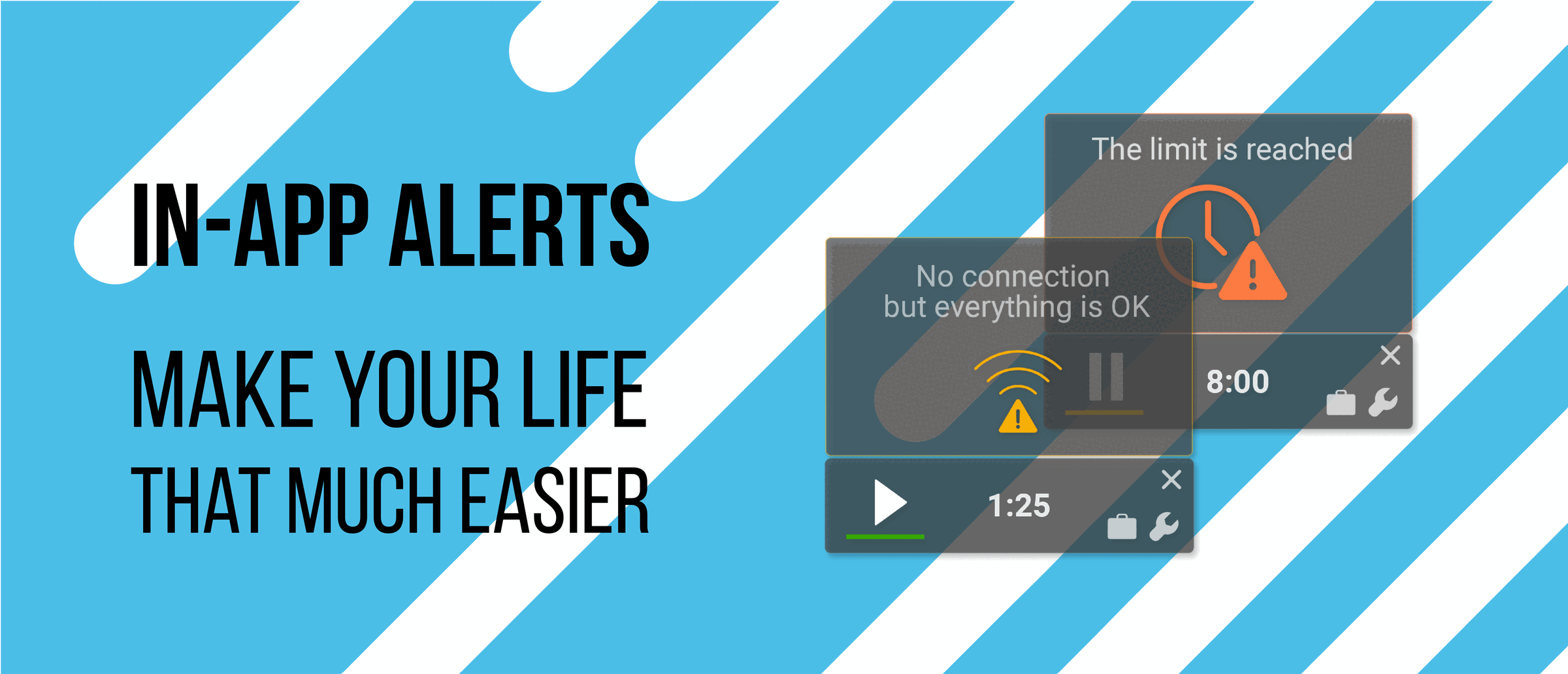
By now, most of you will certainly be aware that Tahometer 3.0 is jam-packed with incredible new features. From a completely redesigned UI to literally hundreds of improvements, there’s a little something for everyone to love. What may have escaped your attention, however, is some of the agent’s less flashy — but equally brilliant — newer capabilities, including our convenient in-app alert system.
For Your Peace of Mind
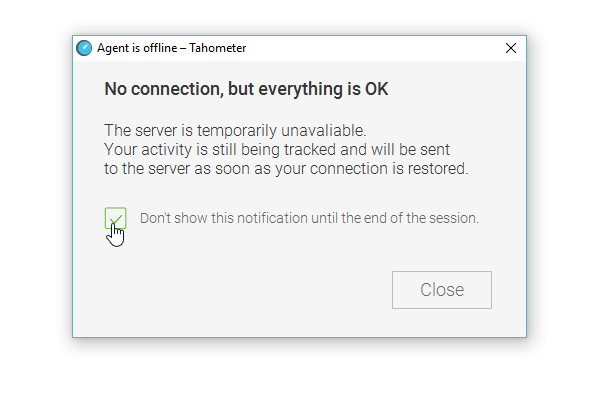
One of the problems that no longer exist in Tahometer 3.0 is the unnecessary anxiety caused by a failing internet connection. This is why in addition to still tracking time locally, the app now thoughtfully informs users that any missing data will be sent to the server as soon as the connection is restored.
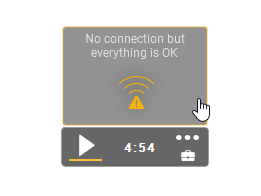
Active window with notification
If further clarification is needed, just click on the alert box for a more detailed explanation.
Don’t Overdo It
In previous versions of Tahometer, for example, in order to keep track of their daily work limits, users were forced to rely on primitive things such as:
- Schedules
- Calendars
- Their own brains
- Talking parrots with mildly impressive temporal memories
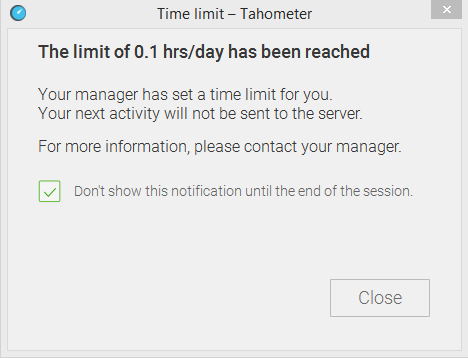
Today, however, if a system administrator has set a time limit, users will automatically be notified as soon as they have reached the end of their shifts. Of course, everyone is still free to carry on with their work for as long as they like, but it goes without saying that this will not count towards their wages, and workaholism destroys families.
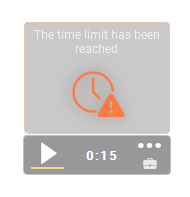
Inactive window with notification
Once again, if you wish to find out more, simply click on the alert on display.
Penny for Your Thoughts?
As proud as we are of Tahometer’s current feature set, our primary goal is to create a time tracker that all our users would love to use every day. This is why your feedback is so mammothly important to us! If you would like to help make Tahometer even better, please consider answering the following questions in the comment section below:
- What do you think about our new alert system?
- How can we improve it?
- What features would you still like to see implemented?
Once again, thank you for sticking with us, and be sure to follow Tahometer on facebook to stay on top of our latest news and updates.
We’ll catch you later 😉